NoBrokerHood Shared Access- Apartment Management with Family
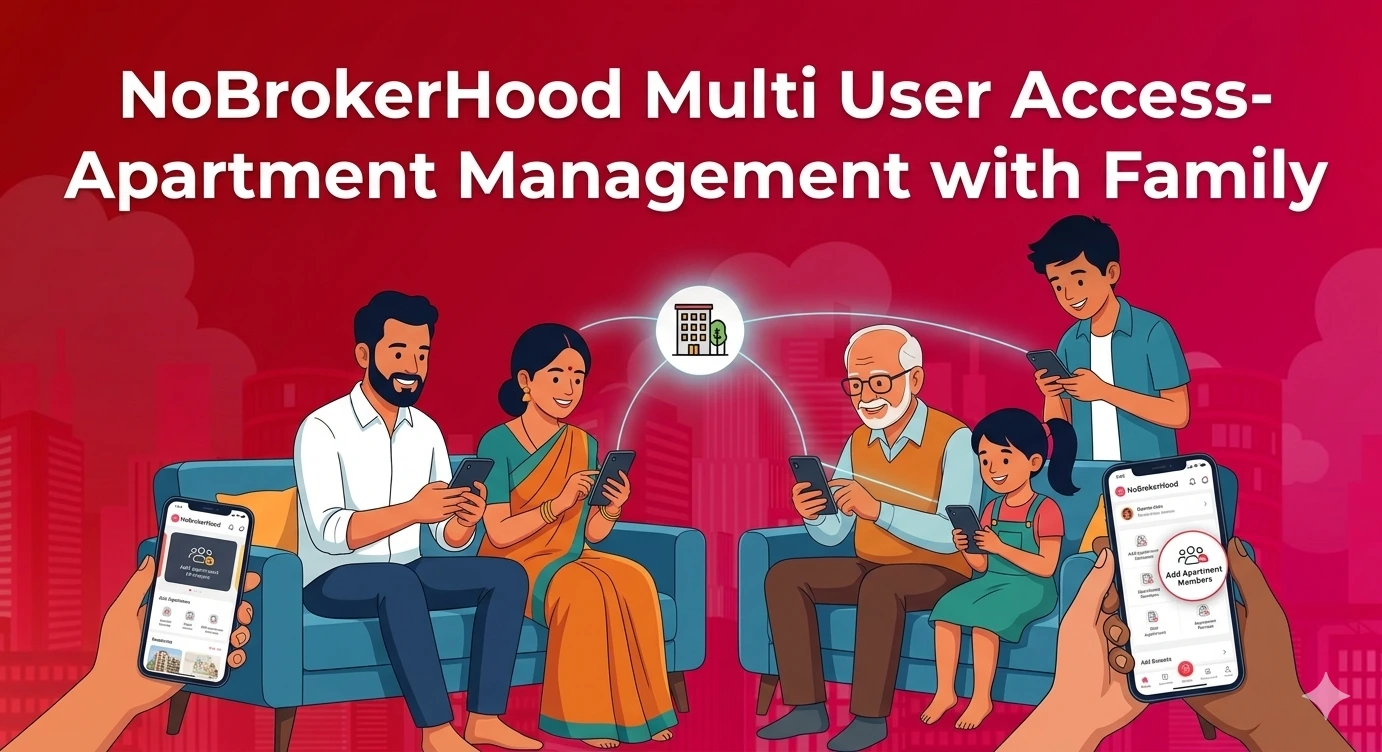
In most apartments, daily life is shared between multiple family members. While one person may be at work, someone else at home may be handling deliveries, visitors, or household help. If everything is managed through one resident account, it can sometimes slow things down. A delivery might get delayed, or a visitor may have to wait at the gate. This is where having shared access becomes useful. When everyone in the household is connected, everyday tasks become easier to manage and more efficient for the entire family.
‘Add Apartment Members’ Feature on the NoBrokerHood App
The ‘Add Apartment Members’ feature on the NoBrokerHood app allows residents to include all household members under one apartment. Instead of relying on a single login, each person in the family can have their own access to the app while staying connected to the same home.
You can add:
- Spouse
- Parents
- Children
- Other family members living in the apartment
Each member receives their own login and can access relevant updates related to the apartment. This keeps everyone informed without needing to depend on one person.
Why Adding Family Members Is Helpful?
Adding family members to your apartment profile can make everyday living more convenient.
Shared visitor approvals
Any family member can approve guests, deliveries, or service staff. This avoids delays when the primary resident is unavailable.
Real-time updates for everyone
All members receive notifications about visitors, parcels, and society announcements. No one misses important updates.
Less dependency on one person
Tasks do not depend on a single individual. This is helpful when someone is busy or not at home.
Better coordination with security
When multiple members are active on the app, communication with security becomes smoother and faster.
Improved daily convenience
From managing deliveries to approving house help, things move more quickly when everyone is involved.
Read also: NoBrokerHood Exclusive: Introducing Advanced Parcel Management for Your Society
How to Add Apartment Members on the NoBrokerHood App?
Adding family members to the NoBrokerHood app is simple and takes only a few steps.
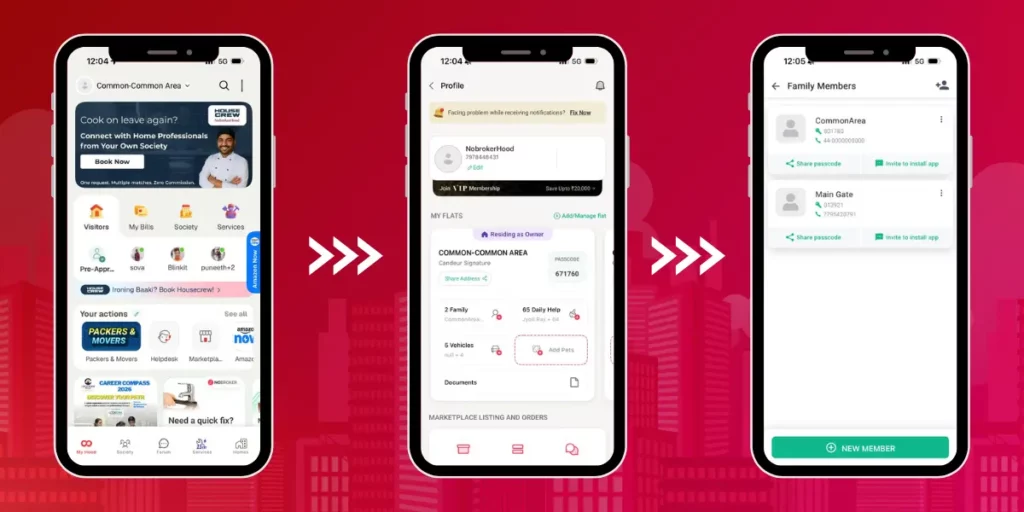
- Open the NoBrokerHood app on your phone
- Click on Your Profile
- Go to the My Apartment or My Flat section
- Select the option Add Family Members
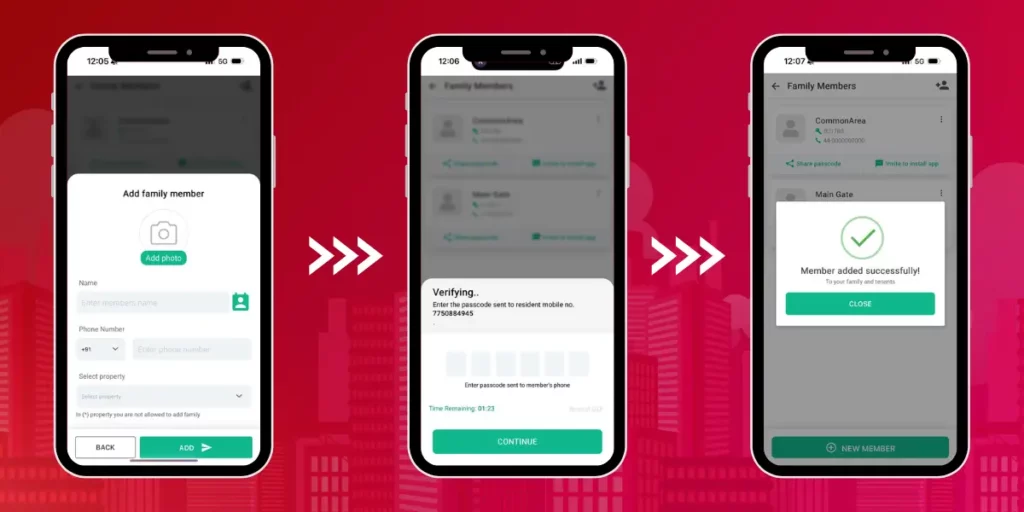
- Enter the details of the family member
- Enter the Passcode Sent to the member’s Mobile Number
- Click on “Continue” to successfully add your family member
Common Situations Where This Feature Helps
Many residents face small daily challenges that this feature can solve.
During work hours: If you are in a meeting, your family can approve a delivery without calling you.
Elderly parents at home: Parents can manage visitors easily without depending on others.
Children returning from school: They can be granted access or monitored through alerts.
Multiple deliveries in a day: Anyone at home can handle entries without confusion.
These situations show how adding apartment members improves everyday coordination.
Read also: Make Your Visitor’s Entry Smoother with NoBrokerHood’s ‘Notify Gate’
Tips for Residents to Use This Feature Better
Here are a few simple tips to make the most of this feature:
- Add only current residents living in the apartment
- Ensure each member uses their own login
- Help elderly family members set up notifications
- Keep member details updated if someone moves out
- Inform your family about how to approve visitors and deliveries
These small steps help avoid confusion and make the system work smoothly.
A Simple Way to Manage Your Home Better
Adding apartment members is a simple step that makes a big difference in daily living. It allows the whole family to stay connected and take part in managing the home. With shared access, approvals are faster, updates reach everyone, and communication becomes smoother. It also reduces the need to depend on just one person. A small change like this can make your everyday experience in society more comfortable and efficient.
FAQs
Yes, you can add all family members who live in your apartment. Each person gets their own access and can stay updated with visitors, deliveries, and society notifications.
Added members get access to features related to the apartment, such as visitor approvals and updates. Access may vary slightly depending on roles set within the app.
Once the invite is accepted, the member becomes linked to the apartment. They will start receiving notifications and can manage daily activities through the app.
Yes, you can remove a member from the apartment settings anytime. This is useful if someone moves out or no longer needs access to the app.
Yes, it is safe as long as you add only trusted residents living in your home. Each member uses their own login, which keeps activity clear and organised.