





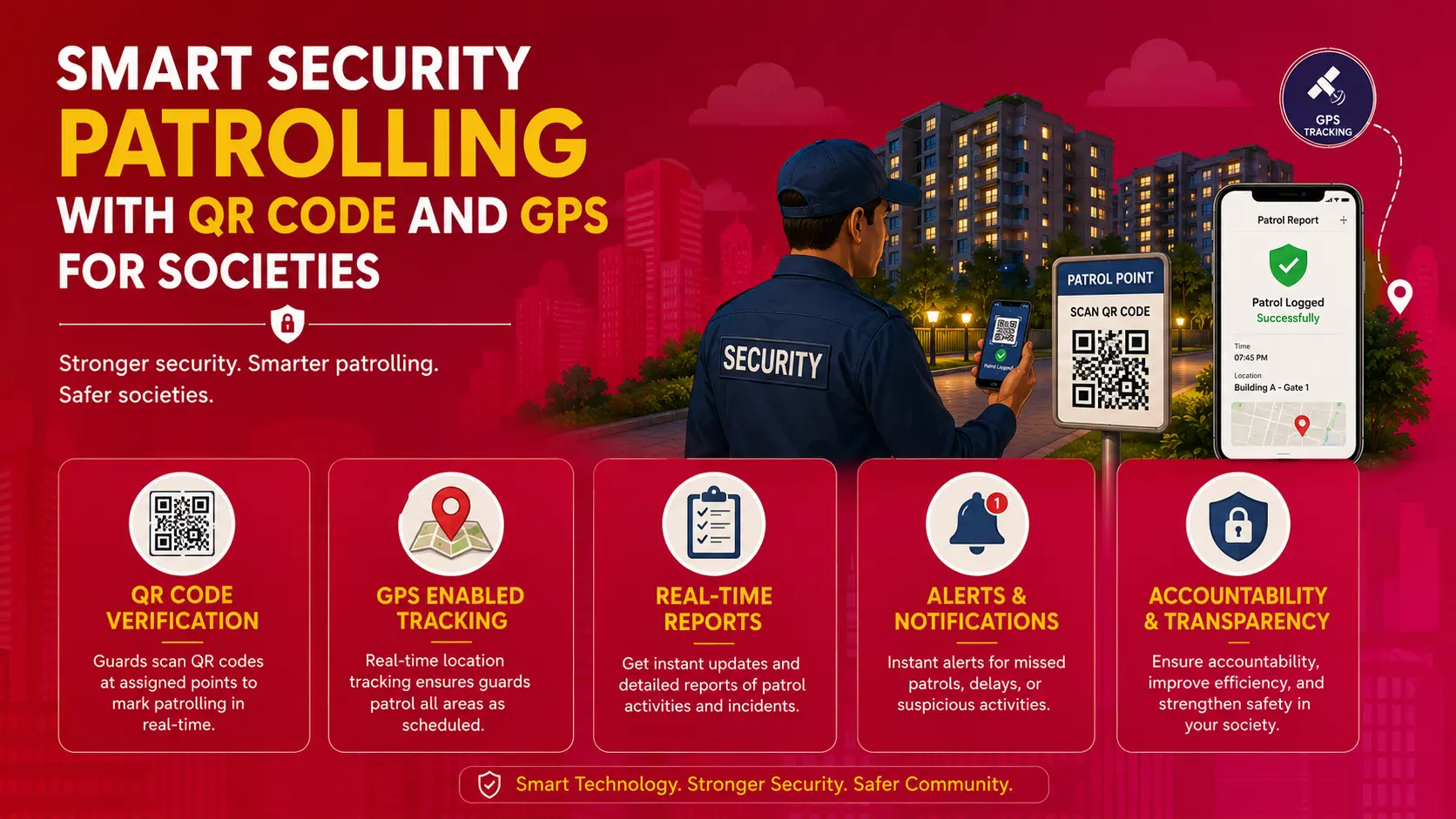


When you live in a huge building society, one that spans acres, and has more than a hundred homes, you fall in love with the amount of space and greenery around you. The downside of having all this space is things could go wrong, especially if it is not kept in check by guards and security staff regularly.

There have been incidents of squatters, and thieves living in remote/unchecked parts of large societies, people using dark corners to junk their unwanted furniture, and so on. This is where guarding and patrolling becomes essential. But are you sure that the guards are doing their job?
Key Features of Security Patrolling
Scheduled Patrol Route
- These routes can feature pre-defined routes and check points.
- The main function of scheduled patrols is to ensure, when patrolling, not to miss any areas.
Real-Time Tracking
- This is done through GPS or RFID based tracking to observe guards’ movements in real time.
- This will give accountability and transparency.
Checkpoint Scanning
- This is when a guard uses a QR code, Near Field Communication (NFC) tag, or RFID tag at a fixed point to scan to show they have been there.
- It confirms their physical presence and all times.
Automated Reports
- Similar to a page turning software, automated daily, weekly, and monthly patrol reports.
- It will notify when a checkpoint has been missed, when a patrol has stalled, or if there has been any irregularities.
Incident Reports
- Guards are able to report incidents (for example, intrusions, damages, etc.) through a mobile app.
- Sometimes allows photo/video uploads with timestamps.
Read Also: Housing Society Security Guidelines and Checklist in India
Problems With Managing Security Staff
As committee members and residents, you can’t personally monitor and track if your security guards are checking every spot in the building society. With many blocks, many amenities, and many miles to cover, most security guards try to find shortcuts and skip checking certain spots. You can give instructions, but then you can never be sure if they are actually doing their job every day.
Some societies have come up with clever ways to get guards to patrol all sections of the building society, like entering details into logbooks placed around, taking pictures etc. In no time security staff have been able to find shortcuts and loopholes to do these tasks. But, with NoBrokerHood’s security patrol app with security guard QR code scanner it eliminates all possible shortcuts and ensures full coverage.
| Traditional Approach | Problem | Solution |
|---|---|---|
| Verbal instructions to guards | No way to verify if guards follow routes | Patrols are tracked via security patrol app |
| Manual logbooks at key spots | Guards can skip areas and still fill logs | Uses security guard QR code scanner to verify guard presence |
| Taking photos during patrol | Photos can be staged or reused | GPS based scanning ensures location accuracy |
| Guards use loopholes in process | Leads to unsafe unchecked zones0 | Geotagged QR codes eliminates all shortcuts |
| Physically checking or relying on reports | Inconsistent or delayed information | Live patrol tracking on dashboard for residents and committees |
How Does Security Patrolling Work?
When your building society chooses to use NoBrokerHood’s security patrolling system, you will be given the option to print out unique QR codes for your building society. These QR codes will be created at specific locations in your building society and will be linked to latitudes and longitudes. Then, you will place the QR code sticker at the matching location.
The security staff or guard will then need to patrol the society using the Security Patrolling feature on the NoBrokerHood guard app. He will need to scan each QR code on his beat.
Read also: Rules and Regulations for Apartment Security Guards
How Does This Help Keep the Building Society Safer?
With the Security Patrolling system, a guard’s duty is not complete until each and every QR code on his beat is scanned. As a committee member, you can check when the guard started his beat, how long he took, what path he took, and when he was done. You will be able to see the time and date of each scan, all from your NoBrokerHood dashboard.
This means that each and every corner, and all the vulnerable spots in your society get checked without fail, every day. The threats that arise from skipping these spots are eliminated.
Check This: Top Gated Community Security Tips Every Resident Should Know
Is there a way to fool the system?
Most people think that it’s possible for the guards and security staff to just stick the QR codes in their cabin and scan it from there. No, the security guard QR code scanner uses geotagging and GPS on the guard devices. This means each scan has to match the geotagged location, and GPS will show if the guard is actually at that spot while taking the QR scan, he has to be within 10 meters of the QR code for the app to accept his scan.
For example, if the guard tries to scan the QR code for the clubhouse in his cabin, or anywhere else, he will get an error message saying that he is in the wrong location.
What else can Security Patrolling do?
Another key feature of the security patrol app is when the guard is on his beat, he can also create Incident Reports on the go. If there is anything that seems out of place or something that needs immediate attention, the guard can instantly take a picture and create an Incident Report.
For example, if the lamp near the tennis court is broken, he can take a picture of the lamp and the incident report will have the picture, details entered by the guard and the exact location. The same can be used for cars parked in the wrong location, garbage found in the wrong spot and so on.
This incident will be recorded to the dashboard that committee members have access to. They can always take the required action much quicker and hence keep your housing society running smoothly.
If you wish to find out more about this feature, drop us a comment below or visit NoBrokerHood. There are many more exciting features that you can explore, contact us for more assistance.
Read Also: Wired vs Wireless CCTV
NoBrokerHood Guard Patrolling System
The NoBrokerHood Guard Patrolling system is a digital-first security solution designed to ensure guards remain active and accountable during their shifts. By replacing physical registers with GPS-verified QR code scanning, the system forces a “proof of presence” at every corner of the property. Management receives instant transparency through live tracking, ensuring that no dark spot or perimeter gate is left unmonitored.
| Feature | Description |
|---|---|
| Geofenced Checkpoints | Guards must be within a specific GPS radius (usually 10 meters) to scan QR codes, preventing fake or remote patrol check-ins. |
| Real-Time Dashboards | Security committees can track patrol completion, timestamps, and guard locations through a live web portal. |
| Automated Alerts | Instant notifications are triggered if a patrol round is missed, delayed, or incomplete. |
| Incident Tagging | Guards can capture photos and voice notes of issues like broken locks, suspicious activity, or water leaks directly at checkpoints. |
| GuardTalky & SOS | Includes an in-app walkie-talkie for quick communication and an SOS button for emergency response. |
| Offline Functionality | Patrol data is stored locally in low network areas and automatically syncs once internet connectivity is restored. |
All Solutions by NoBrokerHood:
