








Keeping your house clean is essential to making it feel neat, cosy, and welcoming. NoBrokerHood makes it simple and quick. With us, you can easily book professional home cleaning services according to your requirements. Whether it's for a special occasion, seasonal cleaning, or simply routine cleaning,we provide all kinds of cleaning services. You can simply book the service by following the simple steps on our app.

In this guide, we’ll walk you through the simple steps to schedule a cleaning service with just a few taps on your phone.
Step 1: Open the NoBrokerHood App
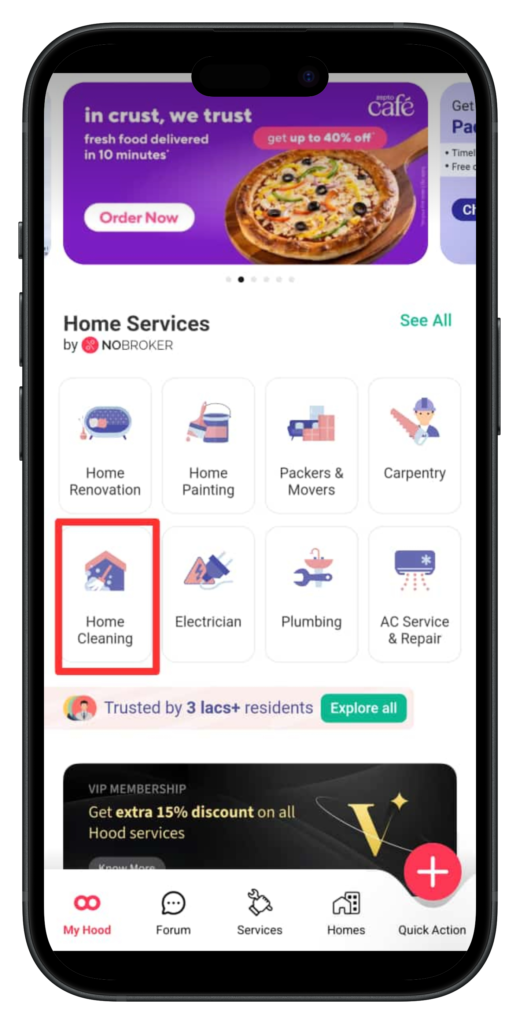
Firstly, open the NoBrokerHood application on your smartphone. The app is designed to provide a variety of society-related services in one place. To see the various services offered, scroll down once you're on the home screen.
Step 2: Select the Home Cleaning Service
From the list of services, press on the “Home Cleaning” option. Tap on it to see the various cleaning packages and options that fulfil different requirements.
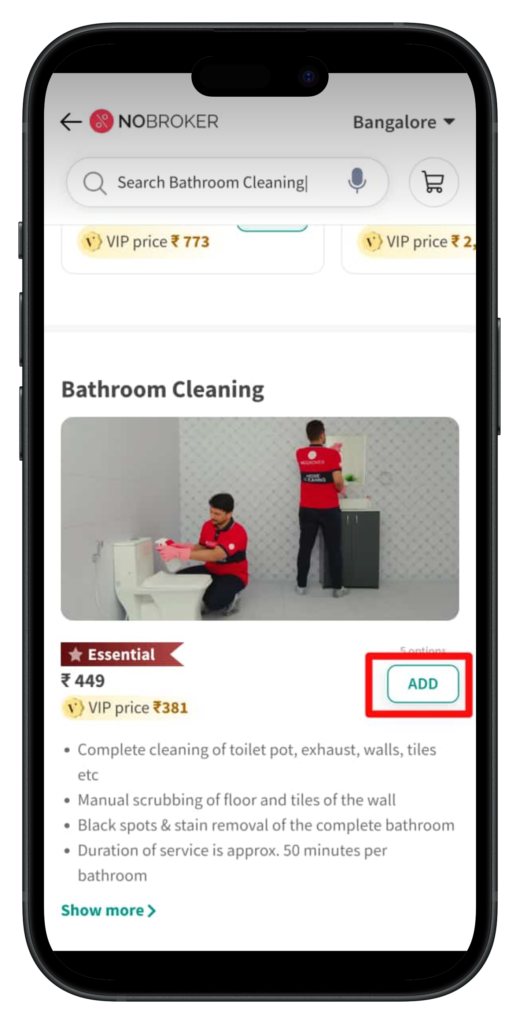
Step 3: Choose the Cleaning Service You Need
Next, decide which particular cleaning service you want. For instance, just select the "Bathroom Cleaning" option if your bathroom needs to be cleaned. To continue after selecting your service, press the Add button.
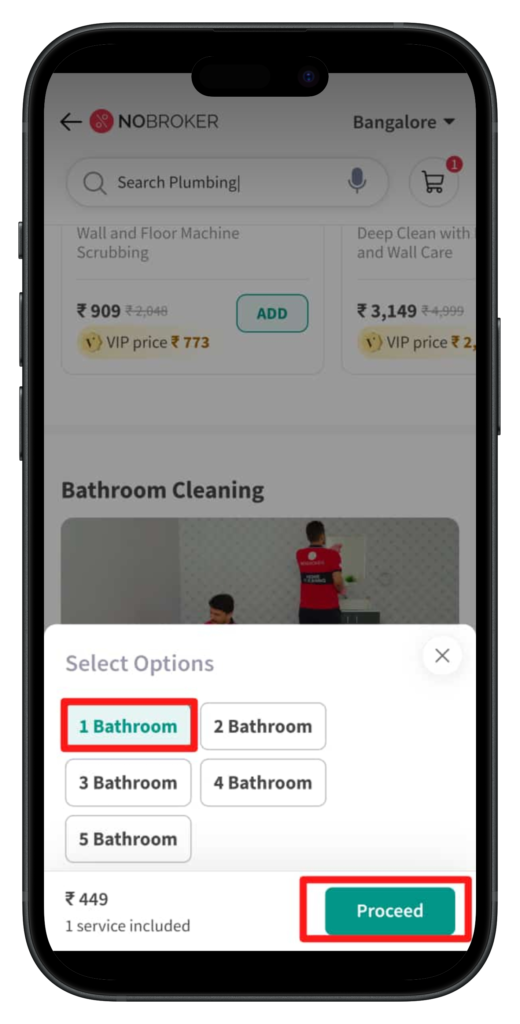
Step 4: Specify the Number of Bathrooms
On the next step you will be asked how many bathrooms you want cleaned. To go to the next stage, complete the information and press Proceed .
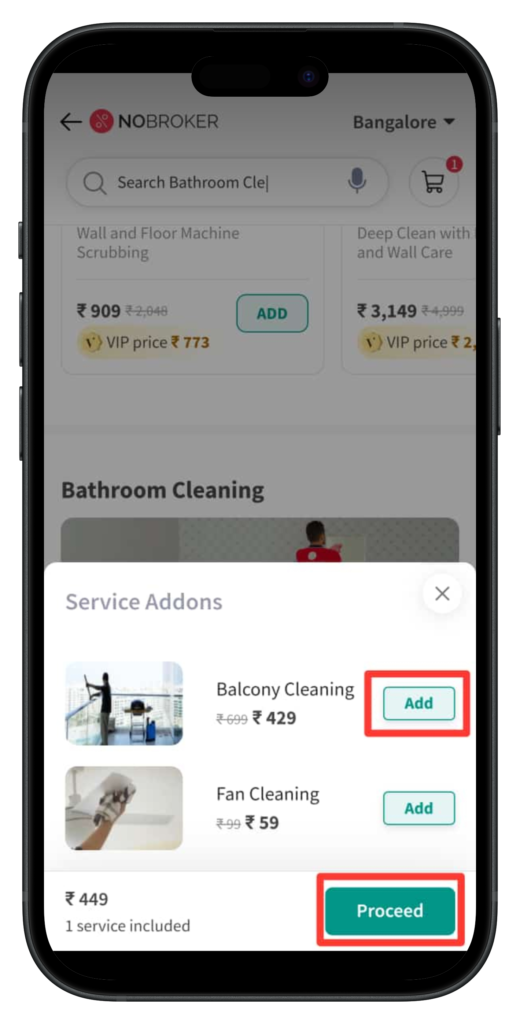
Step 5: Add Optional Services (If Needed)
If you’re interested in additional services like deep cleaning, sanitization, or any other tasks, this is your chance to add them. Select the add-ons you want and click Proceed to continue.
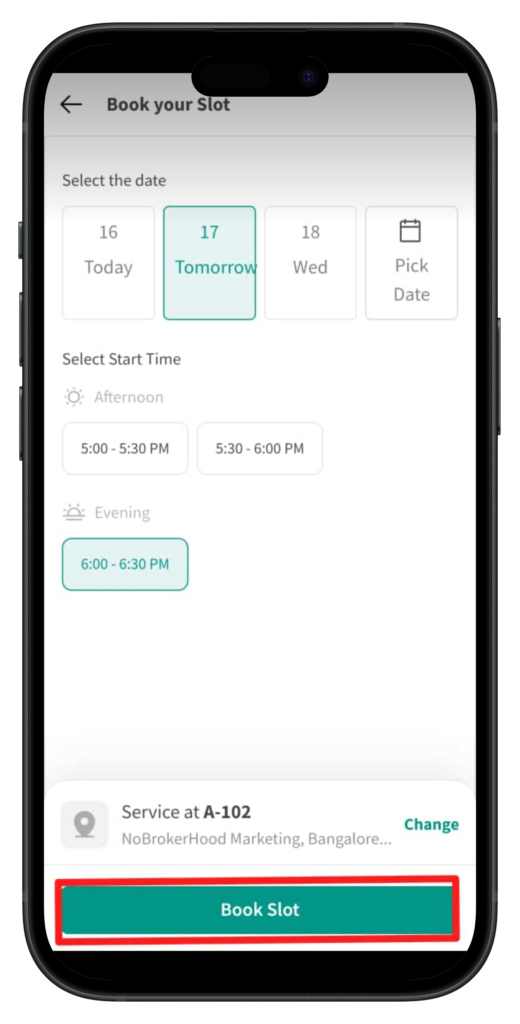
Step 6: Pick a Date and Time Slot
Select a time and date that is most convenient for you. The app offers flexibility, so you can choose a time period that works best for your schedule. To confirm your choice, tap on Book Slot.
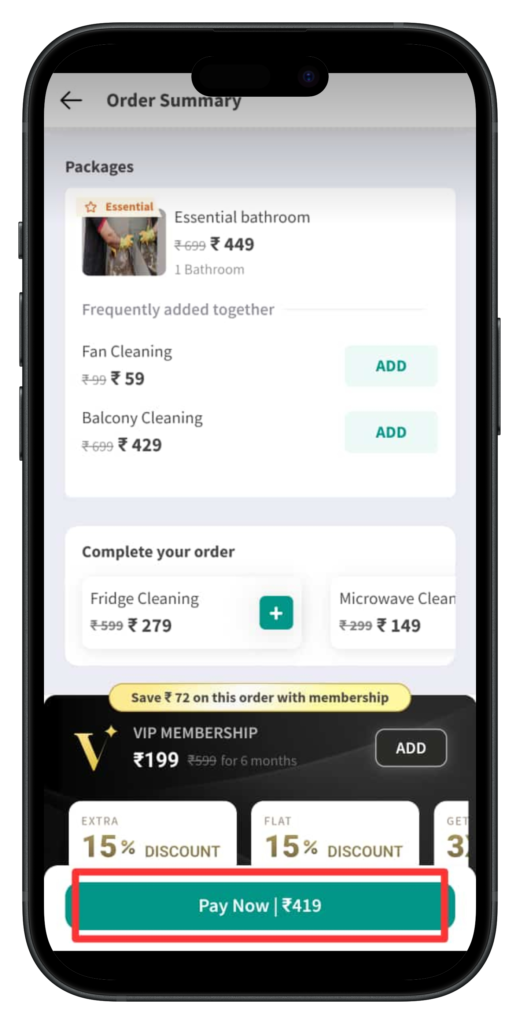
Step 7: Verify your Order Summary
Verify the services that you have added and click on the Pay Now option.
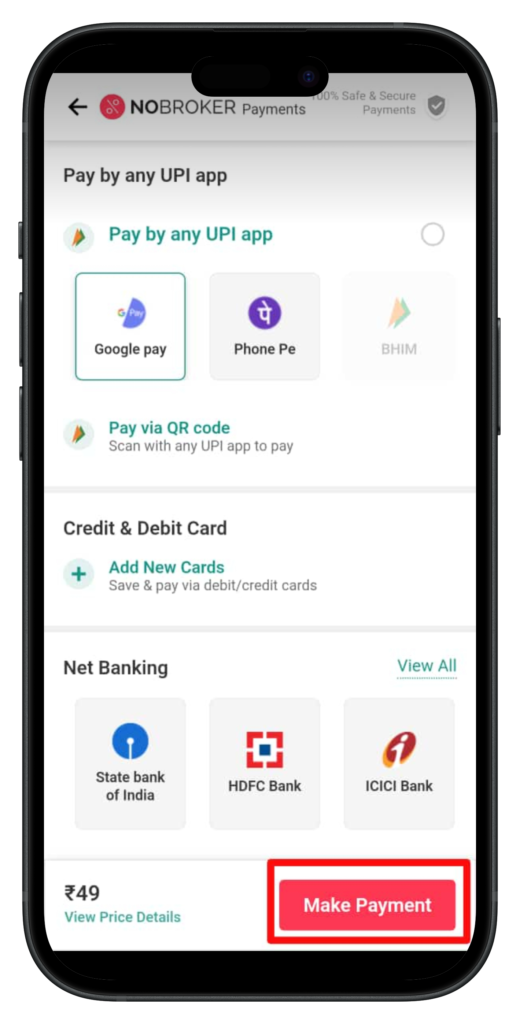
Step 8: Make the Payment
To complete your booking, click on Pay Now. The app provides multiple payment options for your convenience. Once you select your preferred payment method, follow the prompts to complete the payment process.
Step 9: Get Your Confirmation
After the payment is successful, you’ll receive a booking confirmation. At the scheduled time, a professional cleaning team will arrive to give your home a spotless finish.
Why Choose NoBrokerHood for Home Cleaning?
NoBrokerHood simplifies home cleaning with professional services that are easy to book and tailored to your needs. Whether it’s a one-time deep clean or regular maintenance, their experienced team ensures quality, reliability, and customer satisfaction every time.
So the next time your home needs some extra care, open the NoBrokerHood app, follow these simple steps, and enjoy the convenience of a clean and fresh space without any hassle.